Прес-релізи
Бізнес
Before You Book the Photo Shoot: Test the Visual Idea First
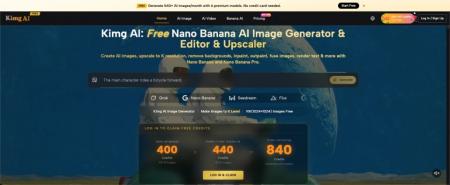
A small business can know it needs better images without knowing what “better” should look like. A bakery may want warmer product photos. A furniture seller may be considering a more minimal catalog. A service company may need a new homepage image but cannot agree on the setting. Going straight from discussion to a full shoot can lock the team into a visual direction too early. Nano Banana can be used as one way to explore image ideas before production. The value is not replacing the photographer. It is helping the team decide what it actually wants to photograph.
The Expensive Mistake Often Happens Before the Camera Comes Out
A weak photo shoot is not always caused by poor photography. Sometimes the brief itself is unclear. The owner says “modern,” the marketer imagines a bright studio, and the photographer interprets that as dark architectural minimalism. Everyone used the same word, but they pictured different results.
A quick visual test can expose that gap before production. Take one existing image that represents the real product, location, or person. Create a few concept directions around it, then discuss those images as references.
The team can point to specific things: “This background feels too cold,” “The product needs more space around it,” or “This lighting makes the room look more premium than it really is.” Those comments are more actionable than general taste words. The final shoot still creates the real commercial photography, but the creative discussion begins with something everyone can see.
Test Decisions That Are Hard to Explain With Words Alone
Not every part of a shoot needs an AI mock-up. Focus on decisions that affect the whole visual direction.
1. Test the Environment
A product can feel completely different on a white surface, in a lived-in home, or in a workshop. Use an existing product photo to explore those broad contexts before choosing the real location or set.
A handmade lamp seller, for instance, could compare a clean studio direction with a warm reading-corner scene. The test does not prove how the final photograph will look. It helps the team decide whether customers should first see the object as a design product or as something already living inside a home.
2. Test the Framing
Teams often discover too late that they need room for headlines, buttons, prices, or mobile crops. Test a close product view against a wider composition with open space around the subject.
If the image is planned for a homepage, ask where the website copy will sit. If it will appear in a marketplace listing, check whether the product remains clear at a small size. The point is to choose the framing requirement before the photographer delivers a set of beautiful images that are difficult to place.
3. Test the Mood
Words such as “premium,” “friendly,” “natural,” and “bold” are subjective. Turn them into visible choices. Warm daylight and a simple wooden surface may communicate “friendly” for one business. Strong shadows and a darker background may communicate “premium” for another.
Create two or three controlled alternatives, then ask which one fits the actual customer and product. Do not mix five moods in one test. The clearer the contrast, the easier the decision.
Use a Simple Decision Sheet
A visual test becomes more useful when the team records why one direction wins. A basic comparison can prevent the discussion from becoming “I just like this one.”
| Decision | Direction A | Direction B | Question to Ask |
| Background | Clean studio | Real-life setting | Where will customers understand the product faster? |
| Framing | Tight crop | Wider scene | Do we need room for text or context? |
| Lighting | Bright and soft | Darker and dramatic | Which matches the brand without misrepresenting the product? |
| Props | Minimal | Contextual | Do the props explain use or distract from it? |
Choose the direction that solves the publishing need, not the one that looks most impressive as a standalone image. A homepage hero, product listing, sales deck, and social post may require different answers.
For a small team, one person should record the final choice and the reason behind it. That prevents the same discussion from restarting when another employee or contractor joins the project later.
Keep the Real Product More Important Than the Concept
Concept images can become misleading if the generated version changes what customers will actually receive. A chair should not gain a different fabric texture. Food packaging should not acquire a new label. A rental property should not appear to have a balcony, larger window, or renovated kitchen that does not exist.
When testing a direction with Nano Banana AI, treat the existing image as a factual reference, not just visual material. Review the shape, color, branding, size relationships, and other details that matter to a buyer.
If the tool changes an important product feature, do not send that version into a customer-facing campaign. It may still be useful internally as a mood reference, but label it clearly as a concept. The closer an image gets to a purchasing decision, the stricter the accuracy standard should become.

Turn the Chosen Concept Into a Better Photography Brief
Once the team agrees on a direction, translate the visual test back into practical instructions for the photographer. Do not simply send one generated image and say, “Copy this.” Explain which parts matter.
A useful brief might say: photograph the real product in a warm residential setting; use soft side light; leave open space on the right for website copy; keep props limited to two or three everyday objects; capture one wide frame and two tighter alternatives.
Also explain what the concept image got wrong. Perhaps the AI version made the room too luxurious or changed the product color. Calling that out helps the photographer understand that the mock-up is a communication reference, not a specification.
This approach gives the professional room to improve the idea using real light, real materials, and production judgment while keeping the business aligned on the original goal.
Know When a Test Is Enough and When You Need the Real Shoot
Some content can remain illustrative. A blog header about a broad business topic may not require documentary accuracy. Product pages, menus, property listings, staff portraits, case studies, and evidence of completed work usually deserve real photography when the image represents what a customer will buy or experience.
Use the test to answer questions, not to avoid production that still matters. If the team already agrees on the setting, framing, and mood, another ten concept images add little value. Move on to the real shoot.
The same discipline prevents endless revision. Set a small test: perhaps two background directions and two framing options. Choose one, record the decision, and close the experiment. Visual planning should shorten uncertainty rather than create a new stage where the team keeps generating alternatives because another version is always possible.
Conclusion
AI concept images can be useful before a commercial photo shoot because they turn vague visual language into something a team can discuss. Test only the decisions that matter: environment, framing, mood, and the space needed for the final layout. Keep real product details accurate, mark internal concepts clearly, and convert the winning direction into a practical photography brief. The photographer still creates the trustworthy final material; the business simply arrives with better decisions already made. Before your next shoot, test two genuinely different directions and see which questions become easier to answer.